
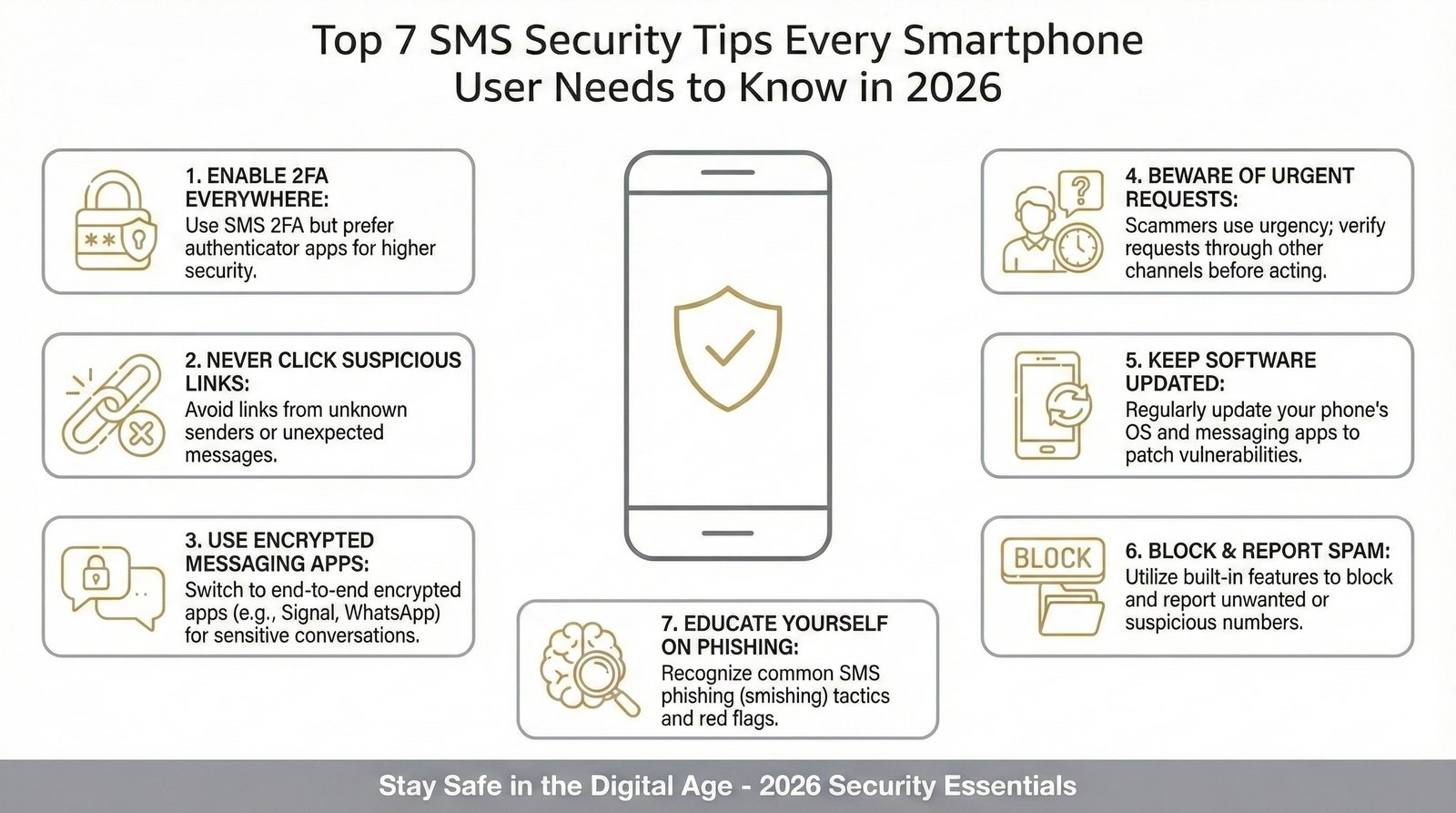
Smartphones have become our digital wallets, ID cards, and communication hubs. From bank OTPs to delivery updates, SMS remains one of the most widely used communication channels. But in 2026, SMS-based fraud, phishing links, and malware attacks are more advanced than ever.
That’s why using a reliable SMS security application is no longer optional-it’s essential.
In this guide, you’ll learn the top 7 SMS security tips every smartphone user should follow to stay protected. Whether you’re a student, business owner, or senior citizen, these practical steps will help safeguard your personal data and financial information.
Why SMS Security Matters More in 2026
Cybercriminals are no longer relying only on email scams. Today’s threats include:
- Fake bank alert messages
- Fraudulent delivery notifications
- Investment scam links
- Malware download prompts
- OTP harvesting attacks
These scams look real because attackers copy brand names, sender IDs, and formatting. Without proper SMS fraud protection, anyone can fall victim.
A modern SMS security application helps detect suspicious messages, block spam automatically, and prevent malicious links from causing harm.
Top 7 SMS Security Tips for 2026
1. Install a Trusted SMS Security Application
The first and most important step is using a secure SMS management tool.
A good SMS security application should:
- Detect spam and phishing messages
- Identify suspicious sender IDs
- Work without reading or storing your private data
- Provide local processing for privacy protection
- Organize important messages safely
For example, apps like TrueSenderApp focus on privacy-first architecture, meaning your SMS data is processed locally on your device rather than uploaded to cloud servers. This reduces the risk of data leaks.
Pro Tip: Always download apps from the official Google Play Store and check ratings and reviews before installing.
2. Never Click Suspicious Links in SMS
Smishing (SMS phishing) is one of the fastest-growing cyber threats in 2026.
Red flags to watch for:
- Urgent language like “Act now” or “Your account will be blocked”
- Shortened URLs
- Unknown sender IDs
- Messages asking for OTP, PIN, or passwords
- Offers that seem “too good to be true”
If you receive a suspicious message:
- Do not click the link.
- Do not reply.
- Block and report the sender.
- Use your SMS security application to scan it.
Even a single tap on a malicious link can install spyware or redirect you to a fake login page.
3. Never Share OTP or Verification Codes
One of the most common fraud tactics involves tricking users into sharing One-Time Passwords (OTPs).
No legitimate company will ask for:
- Your OTP
- ATM PIN
- UPI PIN
- Internet banking password
If someone calls or messages asking for an OTP-even claiming to be from your bank-it’s a scam.
Golden Rule: OTPs are for you only. Never share them with anyone.
A reliable SMS fraud detection app can flag OTP-related phishing attempts automatically.
4. Keep Your Android Device Updated
Many users ignore software updates, but updates are critical for mobile security.
Android updates include:
- Security patches
- Vulnerability fixes
- Malware protection improvements
Running outdated software makes your phone an easy target.
To check updates:
- Go to Settings
- Tap Security & Updates
- Install the latest version
Pairing updated software with a strong SMS security application adds another protective layer.
5. Enable Two-Factor Authentication (2FA)
Two-Factor Authentication adds extra protection to your accounts.
Even if someone steals your password, they cannot access your account without the second verification step.
Types of 2FA include:
- SMS OTP
- Authentication apps
- Biometric verification
While SMS-based 2FA is common, using an authenticator app is generally more secure. However, if you rely on SMS OTPs, make sure your device is protected by a trusted SMS security application to prevent interception or phishing.
6. Organize and Filter Messages Smartly
Cluttered inboxes increase the risk of missing important alerts and falling for scams.
A secure SMS app should:
- Separate transactional messages
- Filter promotional spam
- Highlight important banking alerts
- Detect suspicious patterns
Apps like TrueSenderApp categorize messages automatically, reducing confusion and improving visibility.
Benefits of organized SMS management:
- Faster fraud detection
- Easier access to genuine messages
- Reduced accidental clicks
- Better financial monitoring
Clean inbox = safer inbox.
7. Be Cautious with Public Wi-Fi and Unknown Apps
Public Wi-Fi networks can expose your device to cyber threats.
Avoid:
- Accessing banking apps on public networks
- Downloading APK files from unknown sources
- Granting SMS permissions to random apps
- Go to Settings
- Tap Apps
- Review SMS access permissions
Only allow SMS access to apps you trust.
How an SMS Security Application Protects You
Here’s how modern SMS protection apps work in 2026:
1. AI-Based Spam Detection
Identifies suspicious patterns in messages.
2. Phishing Link Monitoring
Flags harmful URLs before you click.
3. Local Processing
Keeps data on your device instead of cloud servers.
4. Sender Verification
Detects fake sender IDs.
5. Smart Categorization
Separates important messages from spam.
This multi-layered protection helps reduce risks significantly.
Real-World Example
Imagine receiving this message:
“Your bank account will be blocked in 2 hours. Verify now: secure-bank-update.xyz”
Without awareness, many users panic and click.
But with a proper SMS security application like TrueSenderApp:
- The link is flagged as suspicious
- The message is categorized as spam
- You receive a warning before interacting
This proactive protection prevents financial loss and identity theft.
Key Benefits of Following These SMS Security Tips
- Protection from phishing and smishing attacks
- Reduced risk of identity theft
- Safer online banking experience
- Better privacy protection
- Peace of mind
Digital safety is not about fear-it’s about smart habits.
Final Thoughts
SMS may seem simple, but it carries sensitive information like OTPs, bank alerts, and personal updates. In 2026, cyber threats are more convincing and automated than ever.
Using a trusted SMS security application, staying alert, and following these seven simple steps can dramatically reduce your risk.
Apps like TrueSenderApp demonstrate that strong protection and privacy can coexist. When security tools process data locally and prioritize user safety, you gain both protection and control.
Your smartphone is powerful-but only if it’s protected.
Frequently Asked Questions (FAQs)
1. What is an SMS security application?
An SMS security application is a mobile app that detects spam, phishing messages, malicious links, and fraudulent SMS attempts to protect users from cyber threats.
2. How do SMS scams work?
SMS scams (smishing) trick users into clicking fake links, sharing OTPs, or downloading malware by pretending to be banks, delivery services, or government agencies.
3. Is SMS OTP safe in 2026?
SMS OTP is still widely used, but it can be targeted by phishing attacks. Using a secure SMS security application and avoiding suspicious links makes it safer.
4. How can I identify a fake SMS?
Look for urgent language, unknown sender IDs, suspicious links, grammar mistakes, or requests for sensitive information like OTPs or passwords.
5. Why is local SMS processing safer?
Local processing means your messages are analyzed on your device instead of being uploaded to cloud servers. This reduces the risk of data leaks and privacy breaches.