
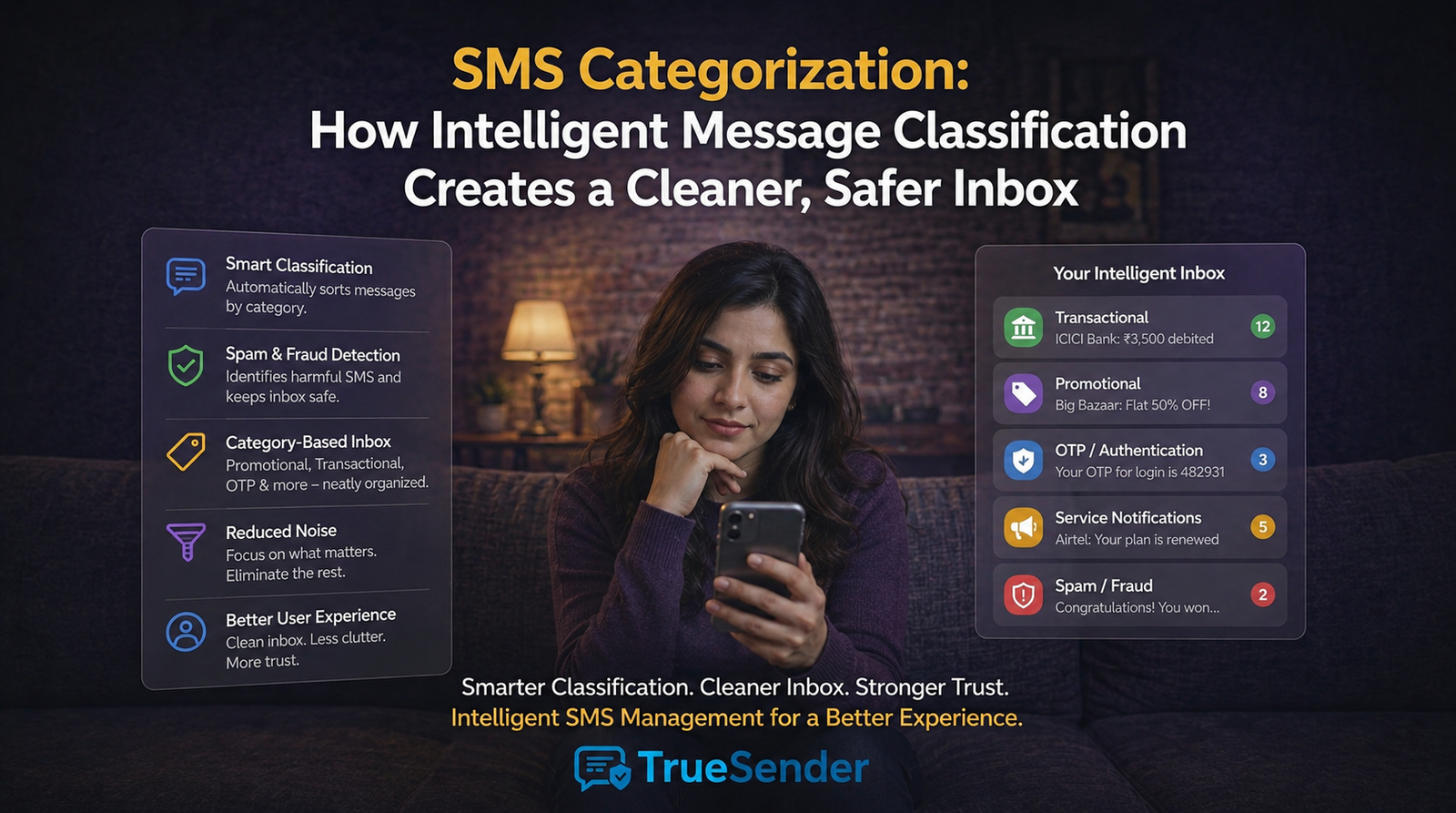
Modern smartphone users receive dozens of SMS messages every day. From banking OTPs and delivery updates to promotional offers and scam messages, everything arrives in the same inbox. As message volume grows, finding important information becomes increasingly difficult.
This is where SMS Categorization plays a crucial role.
Powered by Intelligence-Led Taxonomy, Smart Sender Identity,
and on-device AI analysis, modern SMS categorization systems automatically
organize messages into meaningful groups. Instead of scrolling through a
cluttered list of messages, users can instantly identify important alerts,
personal conversations, government notifications, promotions, and potential
threats.
In this guide, we'll explore how intelligent SMS categorization works,
why it matters, and how solutions like TrueSender help users create a
cleaner, more secure messaging experience.
What Is SMS Categorization?
SMS Categorization is the
process of automatically sorting incoming text messages into predefined
categories based on sender identity, message type, and content intent.
Rather than displaying all messages in a single timeline, intelligent
categorization organizes them into separate sections such as:
- Alerts
- People
- Government
- Offers
- Threats
- Primary Inbox
Simple Definition
SMS Categorization transforms a cluttered SMS inbox into an organized
communication center by automatically identifying the purpose of each message.
This helps users quickly find what matters most without manually sorting
messages.
Why Traditional SMS Inboxes Create Problems
Most default messaging applications follow a simple "flat
list" structure.
Every message appears with equal importance regardless of its actual
relevance.
As a result:
- A banking OTP appears beside a pizza discount offer
- A government notice gets buried under marketing campaigns
- Scam messages blend into promotional traffic
- Important alerts become harder to find
This creates several user challenges.
The Attention Tax
Many users spend unnecessary time filtering irrelevant messages.
Examples include:
- Promotional campaigns
- Marketing offers
- Discount notifications
- Unwanted advertisements
Instead of focusing on critical communications, users waste attention
sorting through noise.
Information
Fragmentation
Important updates often get lost among less relevant messages.
Examples include:
- Tax notifications
- EPFO updates
- Courier tracking messages
- Utility reminders
- Banking alerts
Missing these messages can lead to inconvenience, delays, or financial
consequences.
Hidden Security
Risks
Cybercriminals understand how cluttered inboxes work.
Their messages often imitate legitimate communications and blend into
promotional traffic.
Examples include:
- Fake loan approvals
- Fraudulent reward schemes
- Insurance renewal scams
- OTP phishing attempts
When suspicious messages look similar to everyday notifications, users
are more likely to engage with them.
How Intelligent SMS Categorization Works
Modern solutions like TrueSender use a combination of:
- Header decoding
- Sender verification
- Intent analysis
- On-device AI processing
- Threat detection
This enables accurate message classification without compromising user
privacy.
The SMS Category Matrix Explained
Each incoming message is analyzed and assigned to the most appropriate
category.
Let's examine each category.
1. Primary Inbox
The Primary category contains important everyday communications.
Includes:
- Banking alerts
- Government notifications
- Personal messages
- Service updates
- Transaction confirmations
Excludes:
- Promotional advertisements
- Marketing campaigns
- Detected threats
This creates a cleaner, more focused inbox experience.
Example
"Your electricity bill payment was successful."
Category:
Primary
2. Alerts
The Alerts category contains time-sensitive information requiring user
awareness.
Examples:
- OTP messages
- Debit alerts
- Credit alerts
- Utility notifications
- Account activity updates
These messages often require immediate attention.
Example
"OTP for your transaction is 123456."
Category:
Alerts + Primary
This ensures critical information remains highly visible.
3. People
The People category focuses on person-to-person communication.
Includes:
- Contacts
- Unknown mobile numbers
- Personal conversations
- Family and friend messages
Example
"Hey, are we meeting at 5 PM today?"
Category:
People + Primary
This separation makes personal conversations easier to locate.
4. Government
Messages
Government communications often contain important public information.
The system identifies verified government entities and classifies
messages accordingly.
Examples:
- Tax notices
- Election updates
- Public safety alerts
- EPFO notifications
- Government service communications
Example
"Your EPFO contribution has been successfully credited."
Category:
Government + Primary
This prevents official notices from getting lost among advertisements.
5. Offers
Promotional content is automatically separated into the Offers category.
Includes:
- Marketing campaigns
- Retail promotions
- Discount announcements
- Brand advertisements
- Sales notifications
Example
"Buy 1 Get 1 Free on all pizzas today."
Category:
Offers
Users can review promotions when convenient rather than having them
dominate the inbox.
6. Threats
This category is one of the most valuable components of intelligent SMS
categorization.
Using AI-based analysis, potentially harmful messages are identified and
isolated.
Examples:
- Phishing attempts
- Financial fraud
- Fake loan offers
- Malicious links
- Social engineering scams
Example
"Your loan has been approved. Pay processing fees immediately using
this link."
Category:
Threats
This classification overrides all other rules to prioritize user safety.
Real-World SMS Categorization Examples
|
Sender |
Message |
Category |
|
Verified Bank |
OTP for transaction |
Alerts |
|
Government Agency |
Tax update notification |
Government |
|
Personal Contact |
Family message |
People |
|
Verified Brand |
Discount promotion |
Offers |
|
Suspicious Sender |
Advance fee loan scam |
Threats |
This structured organization dramatically improves inbox usability.
Key Benefits of Intelligent SMS Categorization
Cleaner Inbox
Experience
Important messages remain visible while promotions stay separated.
Users spend less time searching and more time acting on relevant
information.
Faster Access to
Critical Alerts
OTP messages, banking notifications, and service updates become
instantly accessible.
This improves productivity and reduces missed notifications.
Enhanced Security
Threat messages are identified before users interact with them.
Combined with Intelligent Threat Detection and Verify SMS
Sender technology, categorization provides another layer of fraud
prevention.
Share this article